Nithyakarma Delivery Pipeline
Shipping a test suite safely through Docker, Kubernetes and Jenkins
Writing tests was the easy half. This project is about the other half: getting a Java + Selenium + REST Assured suite to run the same way on my laptop, in a container, as a Kubernetes Job and from a Jenkins build, against my live Nithyakarma app and its production database. The service-role key never touches Git, an image layer, a log or a report, and every write the suite makes is opt-in and undone afterwards.
15tests: UI, API and database (RLS) checks
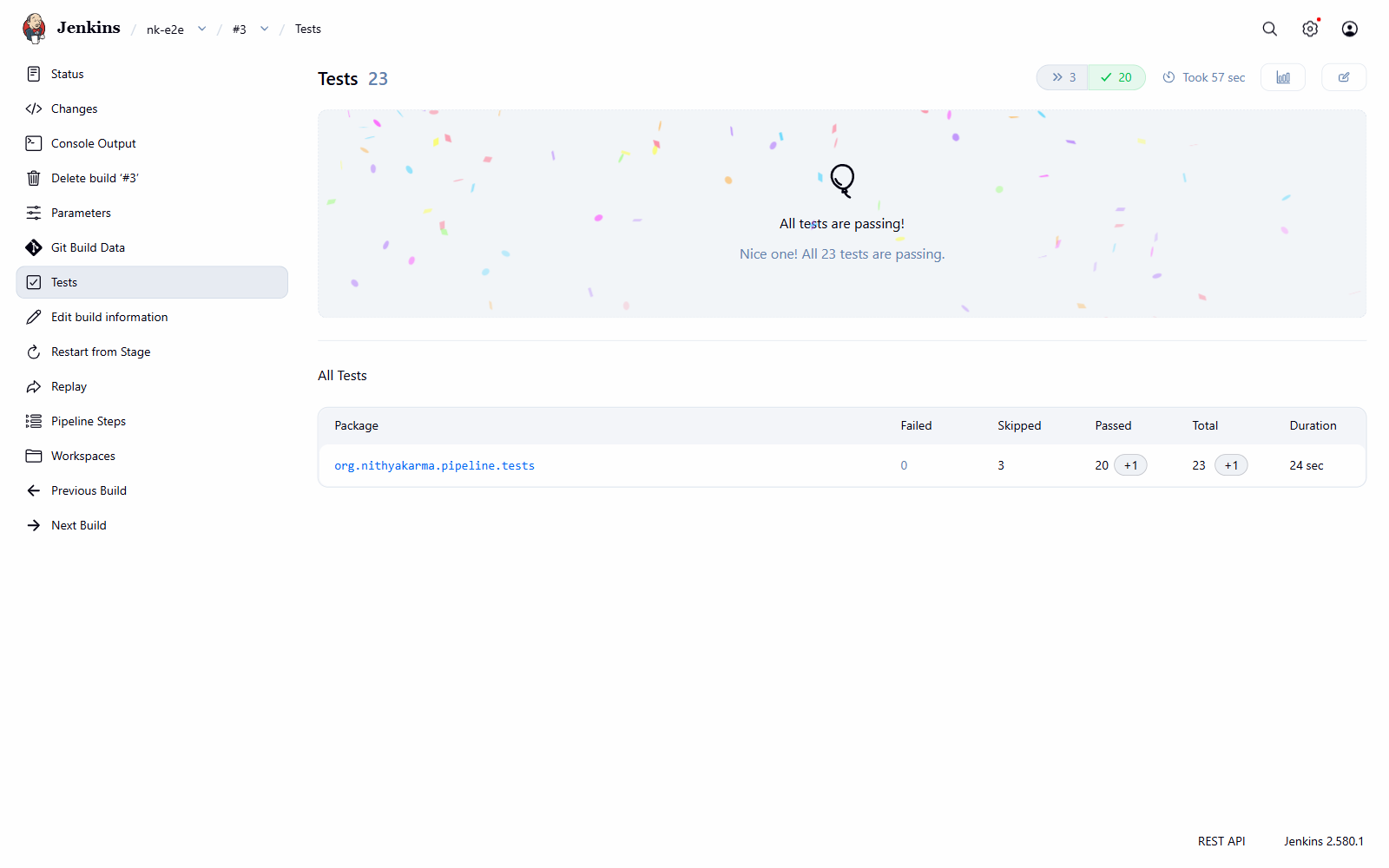
23 / 20 / 3run / passed / skipped on a default Jenkins build
~80 sfull suite as a Kubernetes Job with a Chrome sidecar
11real problems logged with cause, fix and proof
Scope
What this is, and what it is not
My other project, Quality Lab, asks "how do Playwright and Selenium compare on the same 39 tests?". This one asks a different question: once a suite exists, how do you deliver it? A smaller, curated set of 15 tests is built into one image, run inside a cluster, wired into CI, and handled with the care that production data and real secrets need.
Honest limits: the cluster is local (kind on Docker Desktop), Jenkins runs on the controller, and reports leave the pod through a hostPath mount, which is a local-only workaround. The section
What changes in production lists what I would do differently on a real cluster.
Architecture
From a push to a test report
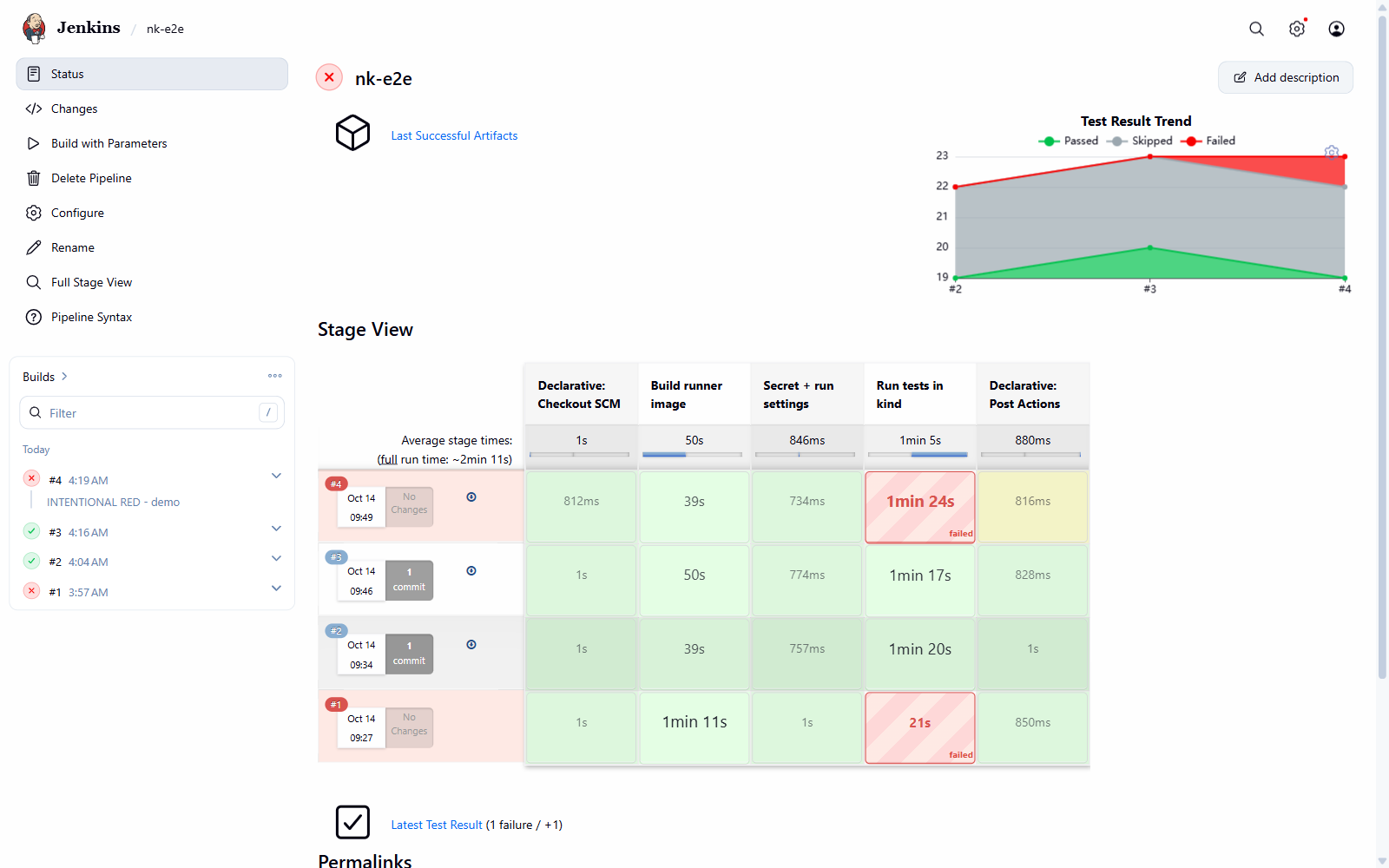
Jenkins runs as a container on the same Docker network as the kind cluster, and drives Docker Desktop through the mounted Docker socket. Each build makes one image, runs it as a Job, and collects the reports before the Job is deleted.
GitHub (public repo)
   │
   ▼
Jenkins  (container on the "kind" Docker network)
   1  Checkout
   2  docker build nk-runner:<build>  ──►  kind load into the cluster
   3  Secret nk-env  (from Jenkins credentials)
      ConfigMap nk-run  (SUITE, E2E_ALLOW_DATA_WRITES, DEMO_EXPECTED_FAILURE)
   4  kubectl apply Job ──► stream logs ──► wait for Complete OR Failed
   post: copy reports off the node ──► JUnit + archive ──► THEN delete the Job
   │
   ▼
kind cluster, namespace nk-e2e
   Job nk-e2e   (backoffLimit 0, activeDeadlineSeconds 1800)
     runner : mvn test -Dsuite=$(SUITE)  ──►  RemoteWebDriver localhost:4444
     chrome : selenium/standalone-chrome as a native sidecar
              (initContainer + restartPolicy Always, startupProbe on /status)
   │
   ▼
internet ──► Nithyakarma PWA (Netlify) + Supabase (REST, Auth, RPC)
Design
Why each pipeline stage exists
| Stage | What it does | Why it is there |
|---|
| Build runner image | docker build: dependencies in one layer, test code compiled in the next | One immutable image per build (nk-runner:<build>). A compile error fails here, before any browser starts. The image holds no secrets: .dockerignore blocks .env*, checked with docker history. |
| Secret + run settings | Jenkins credentials become a Kubernetes Secret, build parameters become a ConfigMap | Secrets stay masked in Jenkins and only exist at runtime. Run settings are plain config, so they are visible and easy to change per build. |
| Run tests in kind | Apply the Job, stream the runner's logs, wait until it is Complete or Failed | kubectl wait --for=condition=complete on its own hangs until timeout when a Job fails, so the wait checks for either condition. |
| post (always) | Copy reports off the node, publish JUnit, archive, then delete the Job | Reports survive a red build, and the Job is deleted only after its evidence is safe. backoffLimit: 0 means a failing suite is never retried, so writes are never repeated. |
Safety
Testing against production without hurting it
There is no separate staging copy of the app, so the suite runs against real data. That shaped most of the decisions.
Who and what the tests touch
- Two dedicated accounts only: A (a test account) and B (my own), with A's starting state recorded as a baseline.
- Writes are off by default everywhere. With writes off, the three write tests show as SKIPPED, not passed.
- Every write is undone as the data's owner, and the cleanup checks itself. If a restore is refused, the test fails loudly with "manual reset needed".
What the suite proves
- Row Level Security checks: a user cannot read or write another user's data, and sees only their own children.
- A failed network request (blocked with WebDriver BiDi) leaves the app usable.
- Every UI test also fails if the page threw an uncaught JavaScript error, even when its own checks passed.
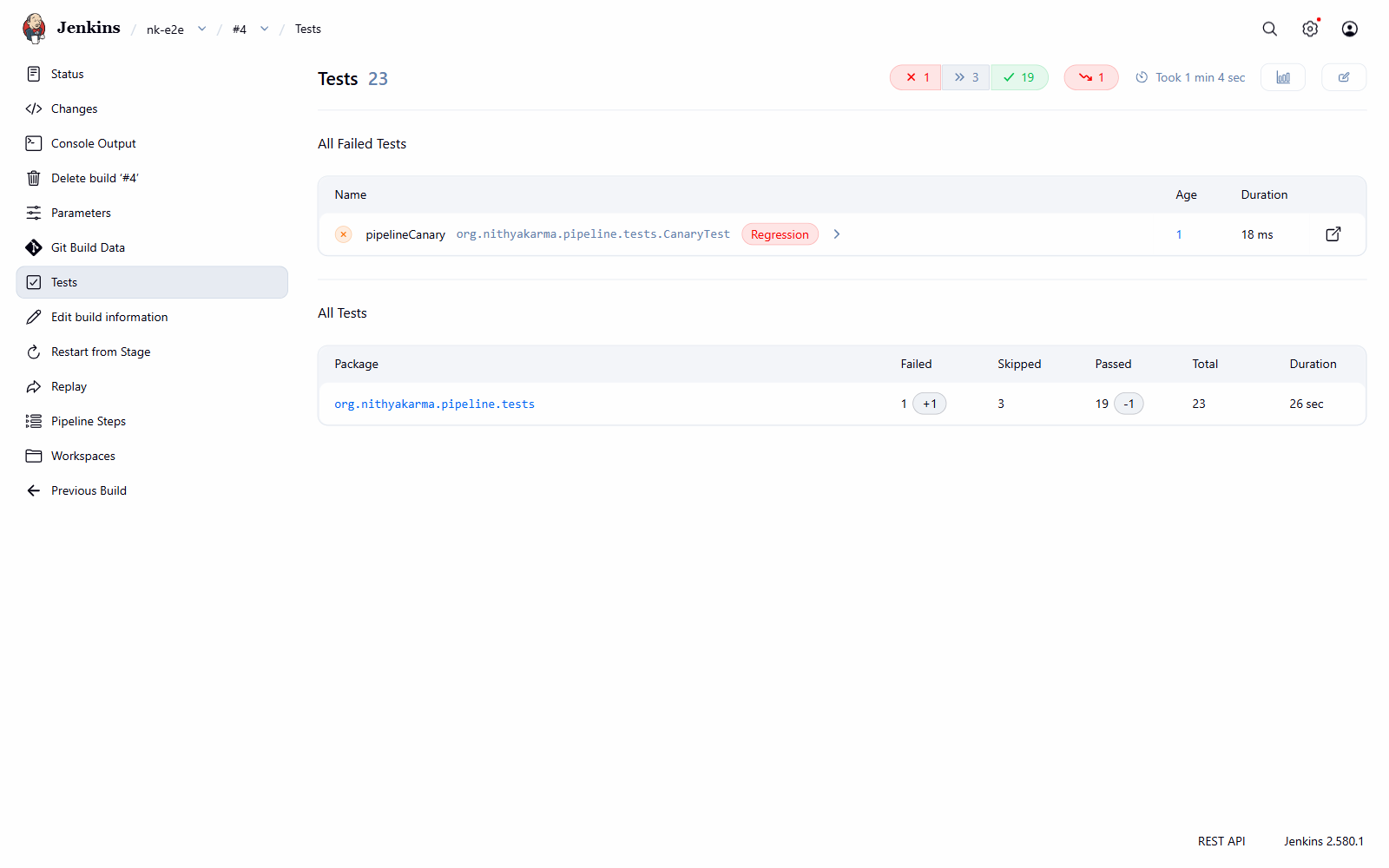
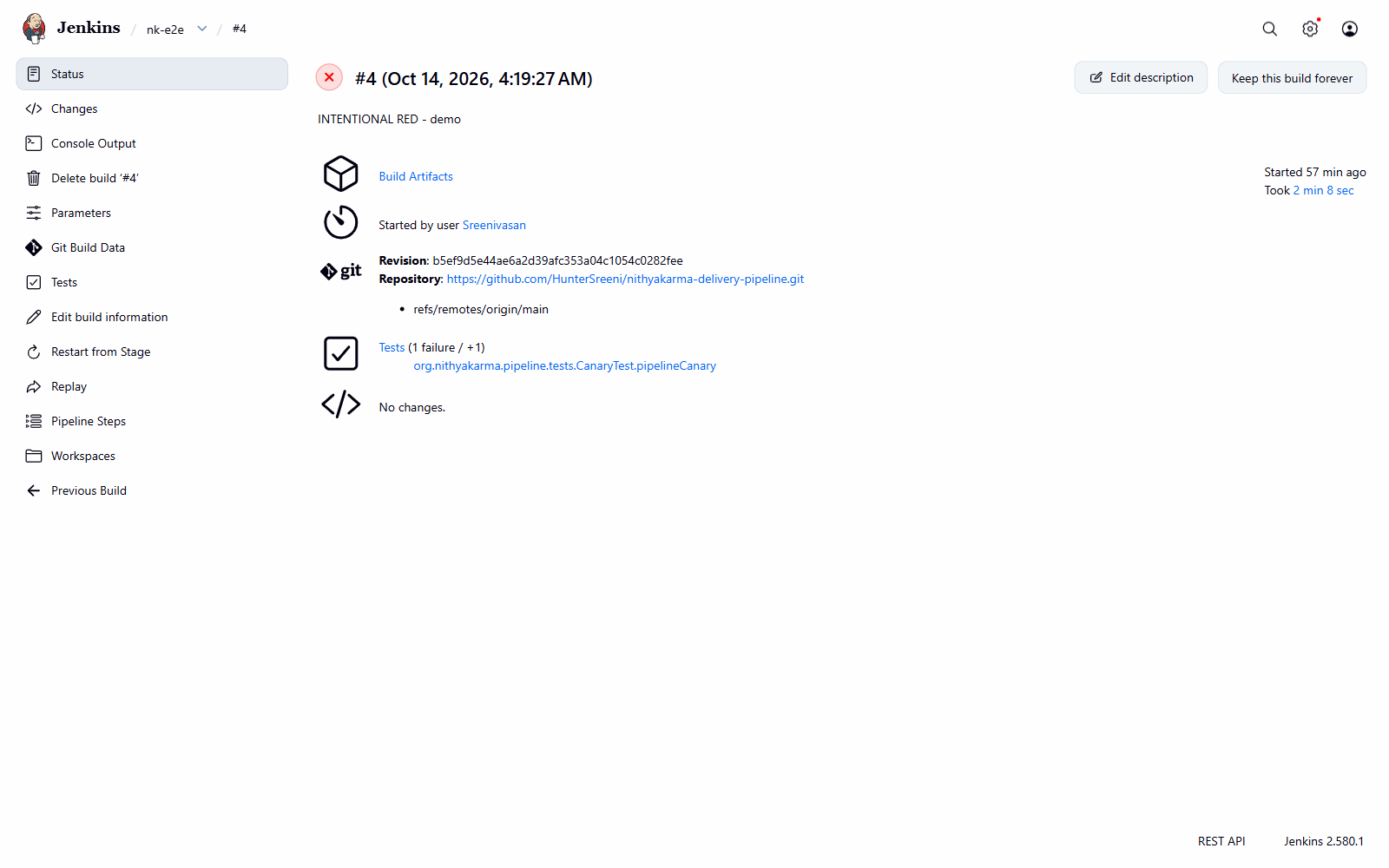
- One open security bug is pinned by a test that is expected to fail, in its own suite, until the app is fixed.
Secrets
Where each secret lives, layer by layer
The Supabase service-role key bypasses Row Level Security. Here it is only used to create test sessions and to read data for verification, never for assertions.
| Secret | Local | Docker | Kubernetes | Jenkins |
|---|
| Service-role key | .env (git-ignored) | --env-file at run time, never ENV | Secret nk-env via envFrom | Secret text credential, masked |
| URLs, publishable key, test emails | .env | runtime env | Secret nk-env | Secret text credentials |
| User session tokens | Created at runtime and held in memory only. Captured browser console output goes through a token scrubber (unit tested) before it is written to disk. |
| kubeconfig | from kind | - | - | Secret file, internal cluster address |
The Kubernetes Secret is recreated from Jenkins credentials on every build (--dry-run=client -o yaml | kubectl apply). No manifest with real values is ever committed.
Test design
The DAG demo suite: one root cause, not twenty failures
The default regression suite keeps tests independent. A second suite runs the same code with group dependencies declared only in the TestNG XML. If the session test breaks, everything that needs a session is SKIPPED instead of failing, so the report points straight at the root cause.
public ──► session ──► features ──► logout
              │
              └──► writes        (side branch: skipped writes do not block logout)

mvn test "-Dsuite=testng-dag.xml" "-Ddag.breakSession=true"
  T5 session   FAILED
  T6 to T14    SKIPPED
The writes branch came from a real bug: when the write tests were in the main chain, turning writes off skipped logout too.
Lessons
Six things that broke, and what each one taught me
All eleven entries, with exact errors and the command that proved each fix, are in the bug log.
1. The admin key could not clean up
Test data · #6
- Symptom
- With writes on, cleanup failed with HTTP 403 and left the test account with extra points, a streak and a stray log.
- Cause
- The plan assumed the service-role key can write anything. In this database it only has SELECT on the app tables.
- Fix
- Service role is now read-only in the code. Cleanup runs as the data's owner, through RLS, and checks every restore. I reset the account by hand from a snapshot.
- Lesson
- Check what your "admin" credential can really do before cleanup depends on it. A silent leftover on production data is worse than a red build.
2. A request intercept hung the test for four minutes
WebDriver BiDi · #5
- Symptom
- The resilience test ran 240 s and died with a
TimeoutException thrown inside the BiDi callback.
- Cause
- The callback sent a BiDi command. Events and command replies share one connection thread, so the command waited for a reply that thread could never deliver: a deadlock.
- Fix
- Intercept only the target URL, send the command from a separate executor, and remove the intercept in
finally.
- Lesson
- Never send a WebSocket command from inside its own event callback.
3. kind load failed for the Chrome image
Kubernetes · #9
- Symptom
ctr: content digest sha256:...: not found for the Selenium image, while my own runner image loaded fine.- Cause
- The Selenium image is multi-platform and only the amd64 layers were on my machine, but
kind load imports every platform the image index lists.
- Fix
- Let the node pull it itself:
docker exec nk-control-plane crictl pull ..., with imagePullPolicy: IfNotPresent.
- Lesson
- A kind node is just a container running containerd, and
crictl works on it like on a real node.
4. The DAG suite timed out on a one-session browser
Selenium Grid · #10
- Symptom
- The regression suite passed in the Job, but the DAG suite failed after 7 minutes with
SessionNotCreatedException and "session timed out due to inactivity".
- Cause
- The Chrome container defaults to one session and a 300 s idle timeout. Ordering by group keeps one class's browser open while others start theirs, so the second request queued and the idle one was reaped.
- Fix
- Sidecar env:
SE_NODE_MAX_SESSIONS=4, SE_NODE_OVERRIDE_MAX_SESSIONS=true, SE_NODE_SESSION_TIMEOUT=900. Same Job: 0 failures in about 70 s.
- Lesson
- A remote Grid has limits a local driver never shows. Size it for the suite that holds the most browsers open, not the default one.
5. Build #1 ran with empty parameters
Jenkins · #11
- Symptom
- The ConfigMap got
SUITE= (empty) and Maven failed with testSuiteXmlFiles0 has null value.
- Cause
- Jenkins only learns a Pipeline's
parameters {} block while build #1 runs, so that build has no values at all, not even the defaults.
- Fix
- The Jenkinsfile falls back to the safe values itself (
params.SUITE ?: 'testng-regression.xml', writes false).
- Lesson
- Never trust a CI parameter to have a value; default it in code to the safe option. The run still failed red rather than passing with 0 tests.
6. A container started without its ports
Docker · #7
- Symptom
port is already allocated, and after freeing the port, docker start ran the container with no published ports.- Cause
- A stray
:latest Chrome container held the port. docker run is create plus start: the create succeeded, the start failed, and restarting the half-made container did not bind the ports.
- Fix
- Removed the stray container and recreated (not restarted) the real one. All image tags are pinned.
- Lesson
- A failed
docker run can leave a container in the Created state. Recreate it, and never use latest.
Production
What changes on a real cluster
What I would change
- A separate test environment with seeded data instead of production accounts.
- A registry with scanned, signed images instead of
kind load.
- A secrets manager (Vault, a cloud secret store, External Secrets Operator) instead of credentials piped into
kubectl.
- A service account that can only manage Jobs in one namespace, not a cluster-admin kubeconfig.
- Reports in object storage, not a hostPath on the node.
- Builds on agents, on a schedule and on every commit, with a Grid sized for parallel classes.
Future work
- SonarQube analysis with a quality gate stage.
- Trivy image scan that fails the build on critical vulnerabilities.
- GHCR push tagged with build number and git SHA, pulled by the Job.
- A dedicated cleanup route for the write test once the open security bug is fixed.
Takeaway
What I would say in an interview
Most of the work was not in the tests. It was in the edges between layers: a shell splitting arguments, a Grid default of one session, a Job that deletes its own evidence, a CI parameter that is empty on the first run, an admin key that turned out to be read-only. Each one passed locally and broke one layer up. I logged every one with its cause and the command that proved the fix, so I can explain why the pipeline looks the way it does, not just that it is green.